1038lab
ComfyUI-MiniMax-H3-Promptor
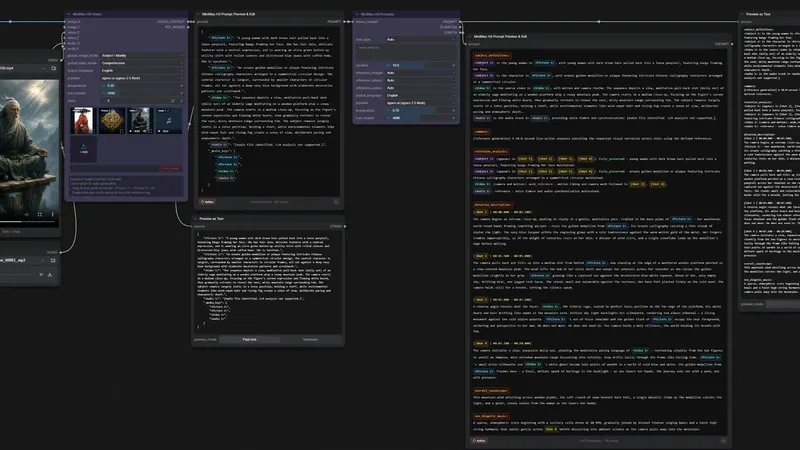
Writes MiniMax H3 video prompts from your images, video and audio
ComfyUI workflow
- MiniMax H3
- Claude
- GPT-4o
- +6
241 GitHub stars19 days agoGPL-3.0
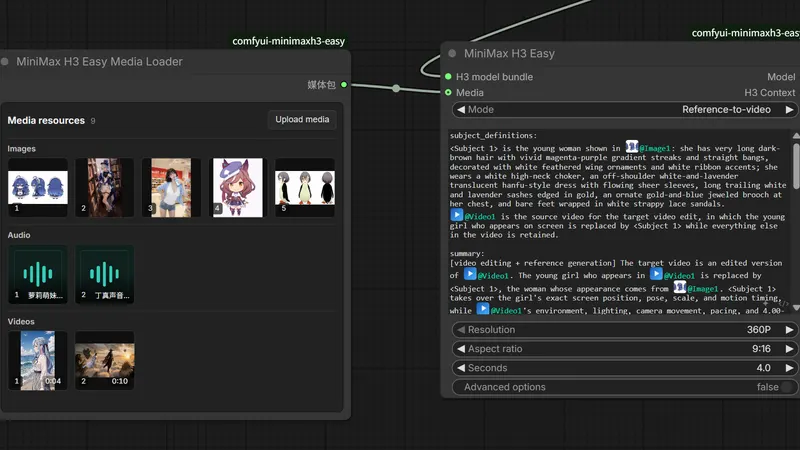
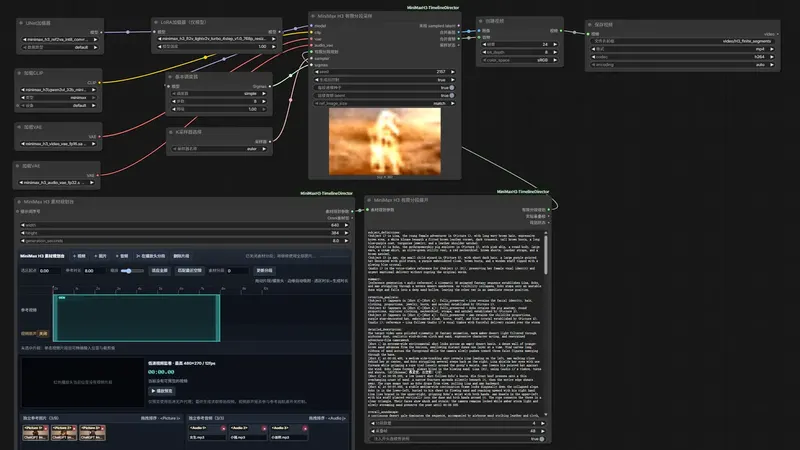
Wire MiniMax H3 video generation into ComfyUI with a handful of nodes. ComfyUI is a node-based app for running image and video models. You get text-to-video, image-to-video, first/last-frame, reference and digital-human modes. Bring the official MiniMax H3 nodes and the H3 models on your own machine.
Best for: ComfyUI users who already run MiniMax H3 and want a small node setup for multi-shot clips.
Rewritten from the README. Check the repo for the latest steps.
ComfyUI/custom_nodes: the command below, then restart ComfyUI. In ComfyUI Manager, pick the Nightly version.git clone https://github.com/nkxx188/ComfyUI-MiniMaxH3-Easy.gitComfyUI/models folders. For latent upscale, add the H3 3D latent upscaler to ComfyUI/models/latent_upscale_models/.workflow/1.MiniMax_H3_Easy.json, pick your models in MiniMax H3 Easy Loader, choose a mode, and enter a prompt.Other comfyui workflow projects people compare with ComfyUI-MiniMaxH3-Easy.
1038lab
Writes MiniMax H3 video prompts from your images, video and audio
Songssx
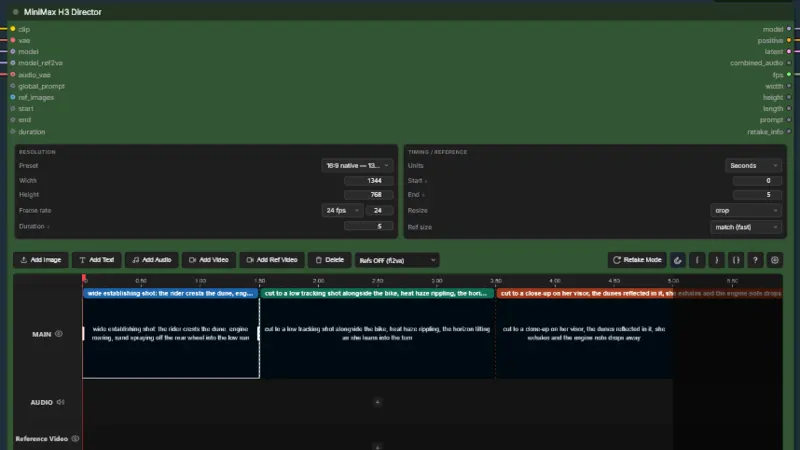
ComfyUI nodes for editing a reference-media timeline in MiniMax H3
seesee75-commits
Gives MiniMax H3 a ComfyUI timeline: shots, keyframes, audio
Lightricks
Gives ComfyUI extra nodes and example workflows for the LTX-2 video model
Do you maintain ComfyUI-MiniMaxH3-Easy? Add this badge to your README so English speakers can find our write-up.

[](https://openmicrodrama.com/projects/nkxx188-comfyui-minimaxh3-easy)The badge links to this page. Want your description changed? Email support@openmicrodrama.com.
Reviewed Oct 1, 2026. We write these descriptions ourselves. The repo's own docs are the final word.