nkxx188
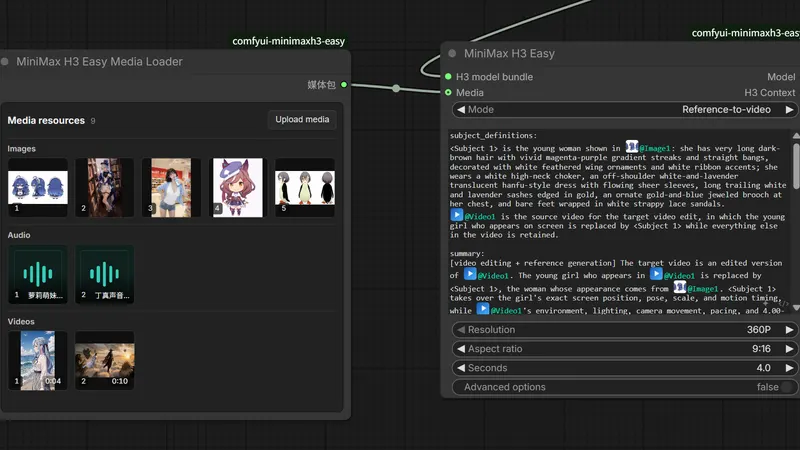
ComfyUI-MiniMaxH3-Easy
A few ComfyUI nodes for MiniMax H3 video, with less hand-wiring
ComfyUI workflow
- MiniMax H3
- Ollama
799 GitHub stars+1/30d3 days agoMIT
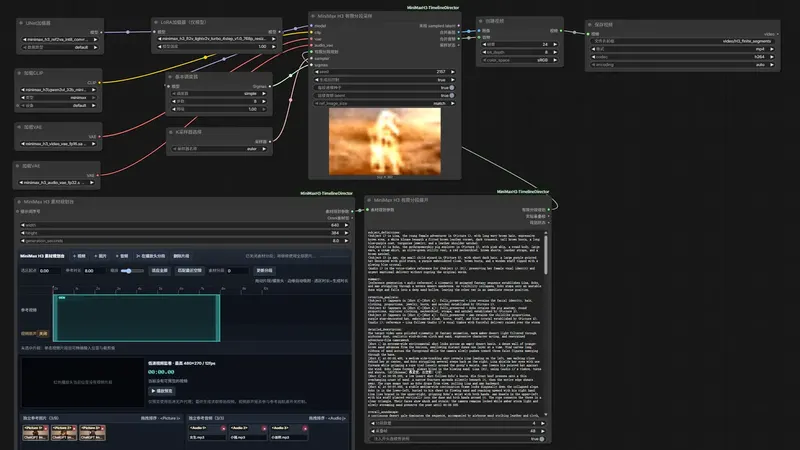
Lay clips, soundtracks, images and audio on one editable timeline for MiniMax H3 Reference to Video. This ComfyUI node pack renders them together. It splits long videos into segments and joins them in a single run, so faces drift less. You'll need a recent ComfyUI build, the H3 Ref2VA model, and some guides are Chinese-only.
Best for: Timeline editors who already run MiniMax H3 Reference to Video and want long-form or digital-human shots.
Rewritten from the README. Check the repo for the latest steps.
cd ComfyUI/custom_nodes then the command belowgit clone https://github.com/Songssx/ComfyUI-MiniMaxH3-TimelineDirector.gitMiniMax H3example_workflows/width, height and generation_seconds, then add video, image and audio filesOther comfyui workflow projects people compare with ComfyUI-MiniMaxH3-TimelineDirector.
nkxx188
A few ComfyUI nodes for MiniMax H3 video, with less hand-wiring
NikoDemon80
Longer MiniMax H3 sequences with motion and sound carried across cuts
lumosai8
ComfyUI nodes for character and location reference sheets from one camera move
Lightricks
Gives ComfyUI extra nodes and example workflows for the LTX-2 video model
Do you maintain ComfyUI-MiniMaxH3-TimelineDirector? Add this badge to your README so English speakers can find our write-up.

[](https://openmicrodrama.com/projects/songssx-comfyui-minimaxh3-timelinedirector)The badge links to this page. Want your description changed? Email support@openmicrodrama.com.
Reviewed Oct 1, 2026. Bundles a MiniMax H3 version of SelfLift two-stage sampling; you don't need comfyui-SelfLift installed separately. We write these descriptions ourselves. The repo's own docs are the final word.