nkxx188
ComfyUI-MiniMaxH3-Easy
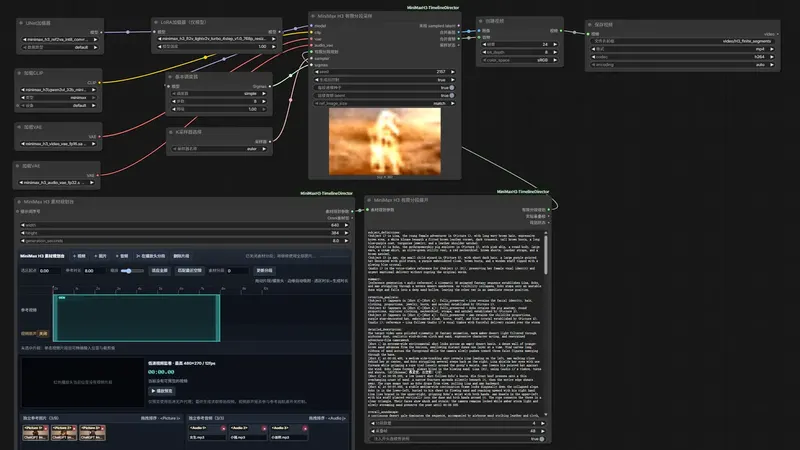
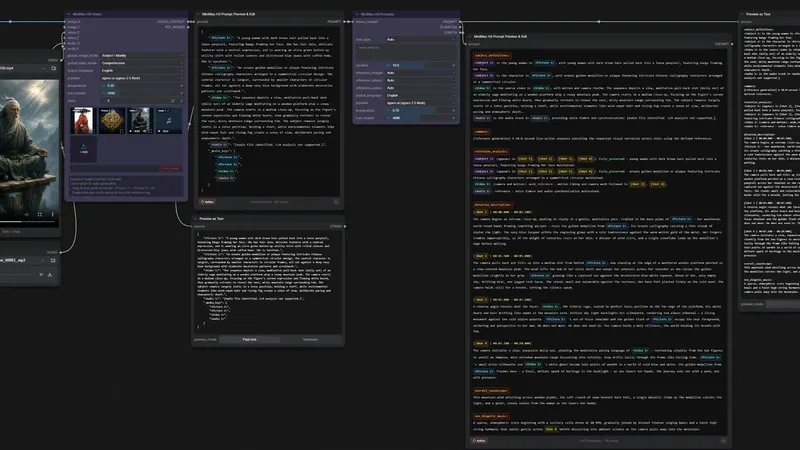
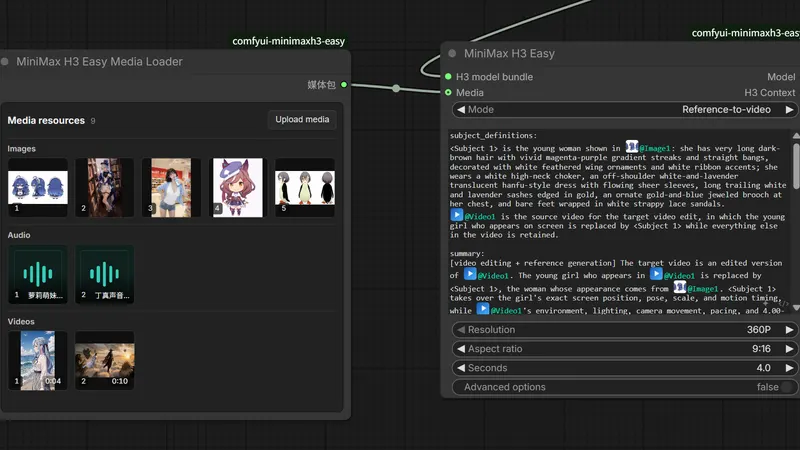
A few ComfyUI nodes for MiniMax H3 video, with less hand-wiring
ComfyUI workflow
- MiniMax H3
- Ollama
799 GitHub stars+1/30d3 days agoMIT
OrbitSheets is a ComfyUI node pack for character and location reference sheets. It writes MiniMax-H3 prompts as hard cuts (instant jumps between views), then renders them. A vision model compares the frames and lays the keepers out as one numbered grid. You'll need the MiniMax-H3 model files at the paths the README lists.
Best for: Character designers making AI short dramas or comic dramas who need matching characters and sets across shots.
Rewritten from the README. Check the repo for the latest steps.
cd ComfyUI/custom_nodes then the command belowgit clone https://github.com/lumos675/ComfyUI-OrbitSheetsexample_workflows/ onto the canvas, or submit the API-format files in api_workflows/.llm_url at an OpenAI-compatible vision endpoint, or wire a Qwen3-VL CLIP into the node.Other comfyui workflow projects people compare with ComfyUI-OrbitSheets.
nkxx188
A few ComfyUI nodes for MiniMax H3 video, with less hand-wiring
Songssx
ComfyUI nodes for editing a reference-media timeline in MiniMax H3
1038lab
Writes MiniMax H3 video prompts from your images, video and audio
Lightricks
Gives ComfyUI extra nodes and example workflows for the LTX-2 video model
Do you maintain ComfyUI-OrbitSheets? Add this badge to your README so English speakers can find our write-up.

[](https://openmicrodrama.com/projects/lumosai8-comfyui-orbitsheets)The badge links to this page. Want your description changed? Email support@openmicrodrama.com.
Reviewed Oct 1, 2026. New repo (created 2026-08) listed under our 100-star bar because it's directly useful. The README's clone URL points to github.com/lumos675, while the repo is listed as lumosai8. We write these descriptions ourselves. The repo's own docs are the final word.