Skip to content

0xsline /StoryGen-Atelier

Storyboards from a story idea, then one video from AI clips
StoryboardApache-2.0English README
Stars
986
30 days
0
Last push
15 days ago
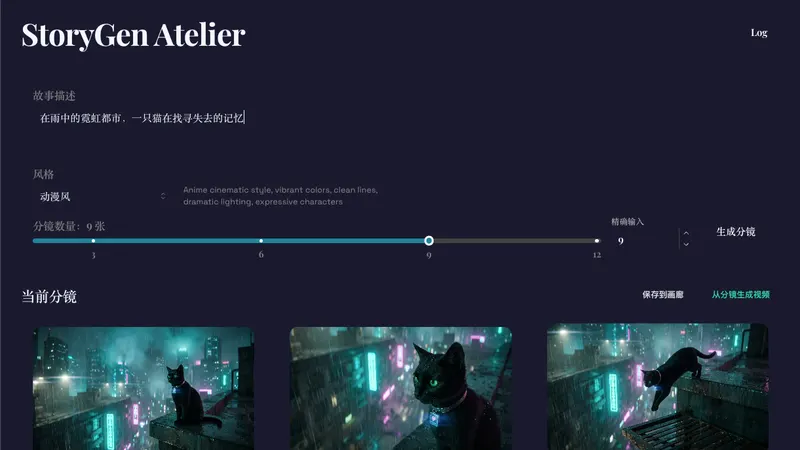
StoryGen-Atelier screenshot from its README
From the StoryGen-Atelier README on GitHub.

About StoryGen-Atelier

StoryGen Atelier is a self-hosted web app for turning a story idea into a storyboard. Gemini writes the script and draws each frame, and Vertex AI Veo animates between shots. ffmpeg joins the clips into one video, while SQLite keeps your logs and gallery. Paid Google Cloud and Gemini keys are required, along with ffmpeg and Node.js 18+.

Best for: Builders with their own Google Cloud and Gemini keys who want a storyboard-to-video pipeline they run themselves.

What it does

  • Writes the storyboard script and frames with Gemini, using your style and shot count
  • Builds a transition prompt and duration for each pair of neighbouring shots
  • Renders the connecting clips in parallel with Vertex AI Veo, plus a closing shot
  • Joins all clips with ffmpeg in copy mode, so the full video keeps its quality
  • Keeps storyboard and video logs in SQLite; you can view, export or clear them
  • Saves, loads and deletes storyboards and videos from a gallery

Quickstart

Rewritten from the README. Check the repo for the latest steps.

  1. 1
    Install Node.js 18+, npm and ffmpeg, and turn on the Vertex AI API in your Google Cloud project.
  2. 2
    From the repo root, run chmod +x start_servers.sh then ./start_servers.sh.
  3. 3
    On macOS you can double-click start_macos.command instead.
  4. 4
    The script installs dependencies, starts the backend on port 3005 and the frontend on port 5180, and writes backend.log / frontend.log.
  5. 5
    Manual setup: cd backend, npm install, cp .env.example .env, fill in your keys, then npm run dev.
  6. 6
    Then cd frontend, npm install, npm run dev.

Models and languages

Models it works with

  • Gemini 3 Pro
  • Gemini 3 Pro Image
  • Vertex AI Veo 3.1
  • MiniMax-M3
  • MiniMax image-01
  • MiniMax H3

Interface and docs

  • English
  • Chinese

Alternatives

Other storyboard projects people compare with StoryGen-Atelier.

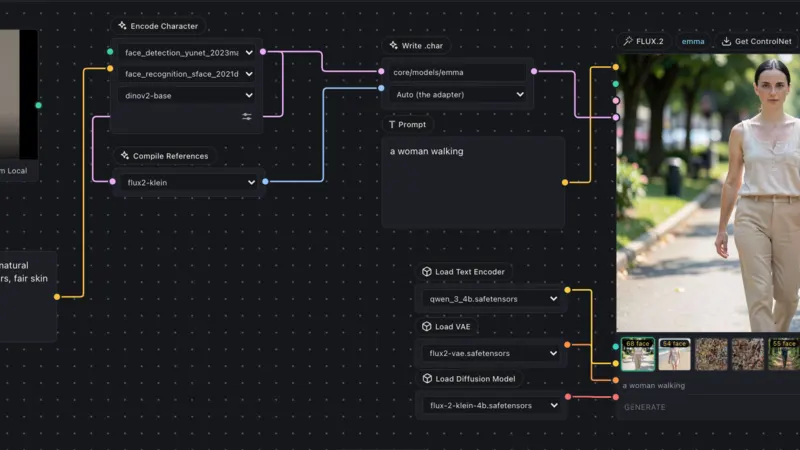
omnichar

OmniChar

Keeps one character file you reuse across AI image and video models

Storyboard
  • FLUX.2
  • FLUX.1 dev
  • Krea 2
  • +5
465 GitHub stars+2/30d2 days agoGPL-3.0
NomaDamas

CozyClay

3D blocking and camera moves, exported as keyframe packs for AI video

Storyboard
  • Seedance 2.5
  • Kling 2
  • Veo 3
  • +6
746 GitHub starstodayAGPL-3.0

morsoli

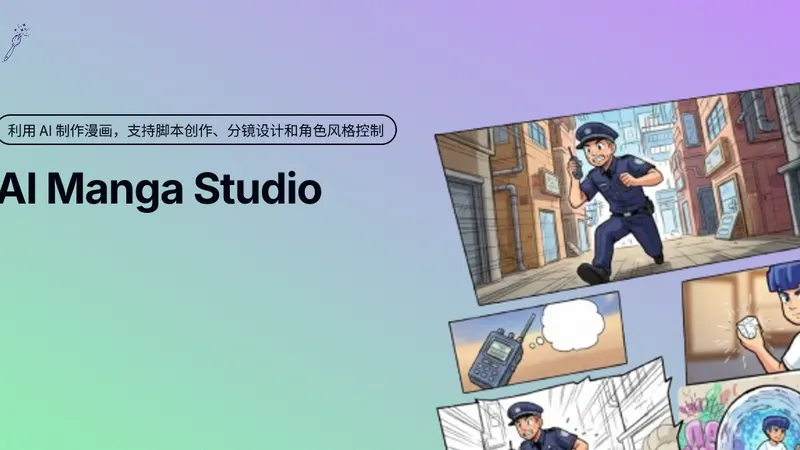
aimangastudio

Type a story idea, get laid-out manga pages with AI

Storyboard
  • Google GenAI
1.5k GitHub stars1 month agoMIT

wuwangzhang1216

DirectorSKILL

Claude Code skill that turns a script or one keyframe into a shot plan

Storyboard
  • Runway
  • Veo
  • Kling
  • +7
151 GitHub stars+6/30d1 month agoMIT

Featured on OpenMicroDrama

Do you maintain StoryGen-Atelier? Add this badge to your README so English speakers can find our write-up.

Featured on OpenMicroDrama
markdown
[![Featured on OpenMicroDrama](https://openmicrodrama.com/badges/featured.svg)](https://openmicrodrama.com/projects/0xsline-storygen-atelier)

The badge links to this page. Want your description changed? Email support@openmicrodrama.com.

Reviewed Oct 1, 2026. We write these descriptions ourselves. The repo's own docs are the final word.